Start from the active tab.
The extension uses temporary access after you open it and choose to check the current HTTP or HTTPS page.
Check page caching from your browser. Local, temporary, no tracking.
A small Chrome and Brave extension that reads visible cache response headers, supported cache markers, WordPress login context, and local load timing for the page you explicitly choose to check.
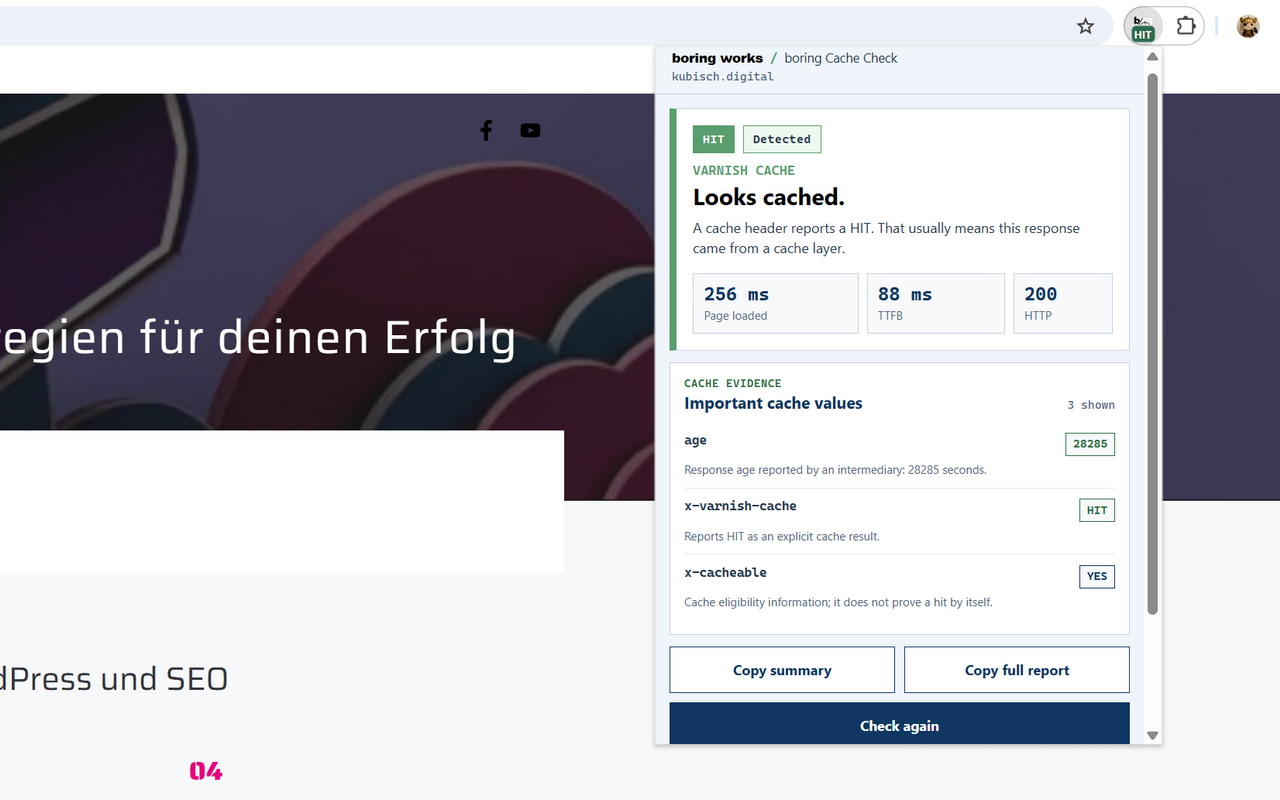
Open the extension, choose Check this page, and let the page reload normally. The result is a conservative interpretation of visible cache signals, not a promise that every cache layer is perfectly configured.
boring Cache Check observes the next main-frame response for the active tab after you start a check. It does not continuously monitor your browsing and it does not modify requests.
The extension uses temporary access after you open it and choose to check the current HTTP or HTTPS page.
The page reloads without cache-busting query parameters, forced empty-cache reloads, cache clearing, or warmup behavior.
Common cache headers, supported local cache footprints, bypass context, HTTP status, and local timing are turned into one result.
The current result is kept in browser session storage so it survives the popup closing during reload, then clears with navigation, tab closure, extension reload, or browser restart.
The extension reports states such as HIT, MISS, BYPASS, DYNAMIC, UNKNOWN, or ERROR. Explicit cache-result headers have priority. Missing signals do not prove that caching is disabled.
Reads visible headers such as Cache-Status, FastPixel, Cloudflare, Varnish, LiteSpeed, FastCGI, cache age, and policy headers where Chrome exposes them.
CDN and local cache headers are interpreted separately, so an outer MISS with a local HIT can still be reported as a useful cache layer result.
A supported cached@ page-source footprint can be treated as a detected cache result. Metadata without the footprint remains context only.
Server-provided skip reasons and standard WordPress logged-in markers can explain likely bypass situations without reading account roles or usernames.
Shows local page loaded, TTFB, and page structure ready timing for the user-requested reload. It is not a Lighthouse score or Core Web Vitals report.
Copy a compact summary or a full visible response-header report. Cookie and authentication response-header values are redacted.
All analysis happens locally in the browser. The extension does not send URLs, headers, results, timing, or cache reports to boring works or to third parties.
The product-specific privacy policy for Chrome Web Store submission is available at:
The extension stays compact: disclosure before the check, color-coded but labeled results, important values, local timing, and a technical section when needed.
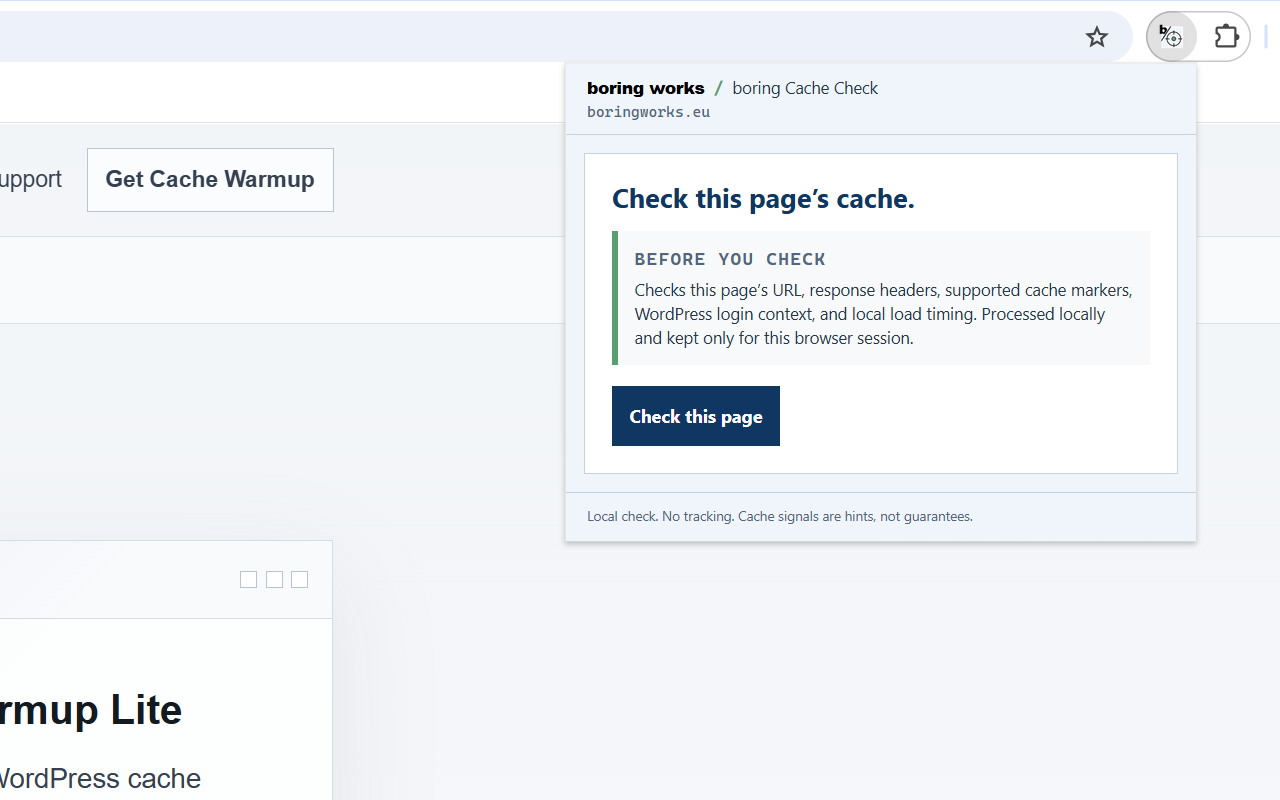
The popup states what will be processed before the user starts the check.
Important values and timing are visible without opening technical details.
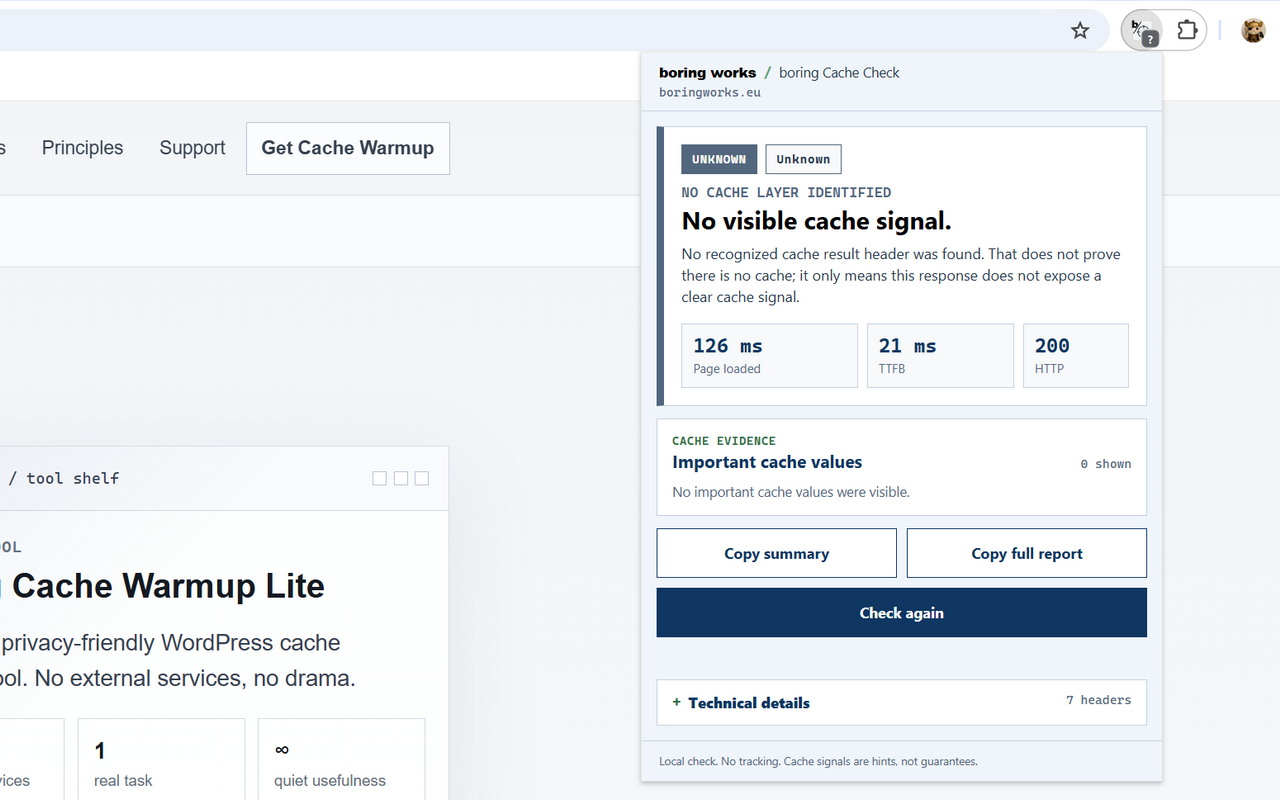
No visible cache signal is treated calmly: it is not reported as proof that caching is disabled.
For support, privacy questions, or Chrome Web Store review context, contact boring works by email. Please include the extension version, browser, URL context if safe to share, and the copied summary when useful.
Use this address for support and privacy questions related to boring Cache Check.
Chrome Web Store: Open store listing ↗
Homepage: https://boringworks.eu/boring-cache-check/
Support: https://boringworks.eu/boring-cache-check/#support
Privacy: https://boringworks.eu/boring-cache-check/privacy/
This is the shared boring works principle, not a feature of one extension. A good tool should solve a real task clearly, stay understandable, and get out of the way.
No dashboard where a popup is enough.
No hidden service where local browser processing can do the job.
No certainty theatre where cache signals are only careful hints.